
How to sell Print on demand phone cases on Shopify
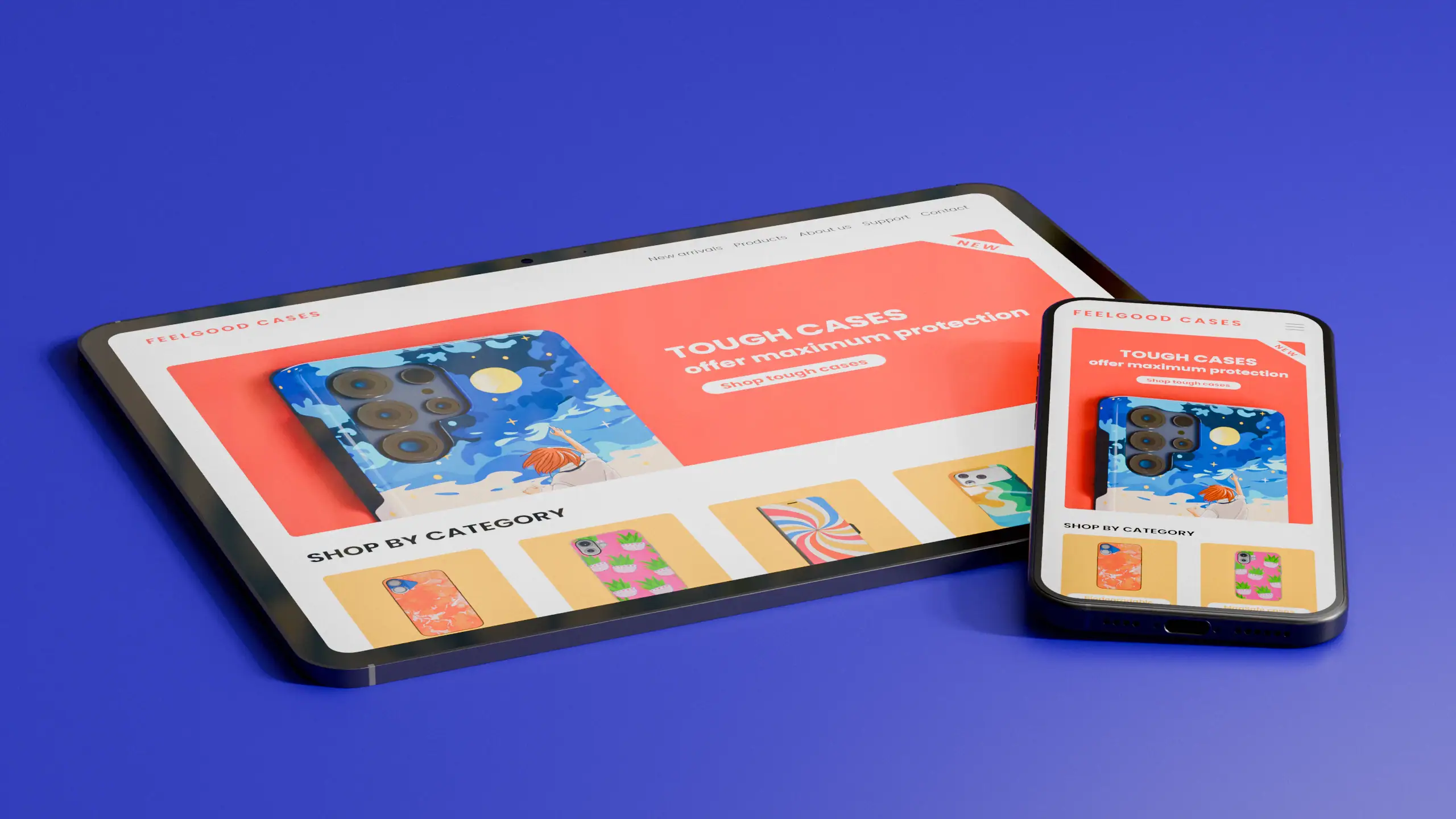
Phone cases are one of the best products to start with if you’re building a print on demand business on Shopify. They are affordable to produce, easy to design for, and there’s a massive, continuously growing market of people who want something that reflects their personality rather than a generic case from a big-box store.
We’ve been fulfilling custom phone cases for over 10 years at Printeers. In that time, we’ve seen what works and what doesn’t. This guide walks you through the exact steps to get started, from setting up your Shopify store to your first sale.
Why you should consider selling phone cases
Before we get into the how, it’s worth understanding why phone cases work so well for print on demand sellers.
The numbers tell the story. The global phone case market was valued at over $25 billion in 2024 and is projected to nearly double by 2033, growing steadily as smartphone adoption continues to rise worldwide. Over 1.2 billion phone cases were sold globally in 2024 alone. For POD sellers, the numbers are hard to ignore: 38% of younger buyers prefer custom-designed cases, and 56% say aesthetics are their primary reason for buying one. People don’t just want protection. They want something that reflects who they are.
The profit margins are solid too. A custom phone case typically sells for €20-49, while production and fulfilment costs are well below that. Eg. a soft case shipped to Germany costs € 7,88 in total (€ 5,53 for the case and € 2,35 for shipping). That leaves room for a healthy margin without having to sell huge volumes.
How to get started
Step 1: Set up your Shopify store
If you don’t have a Shopify store yet, start there. Shopify is the easiest platform to connect with print on demand apps, while also handling payments, order management, and customer communication out of the box.
Go to shopify.com, choose a plan, and pick a clean theme that puts your products front and centre. You don’t need anything fancy to start. A simple, fast-loading theme works better than something overly designed.
Step 2: Install the Printeers app
Once your store is live, install the Printeers app from the Shopify App Store. It’s free to install and connects your store directly to our fulfillment infrastructure.
After installing, create your free Printeers account. You’ll immediately have access to our full catalogue of phone cases, iPad cases, MacBook cases, AirPods cases, and more. Everything is produced white-label, which means that customers see your branding, not ours.
Step 3: Choose your products
One of the first decisions you’ll need to make is which product ranges you want to offer. There is no need to offer everything at the start, your designs make the difference. The Soft case and Tough Case are good products to start out with.
Our app makes sure that your product range stays up to date. New models are added automatically when you use our app. You only have to care about creating new designs.
The Printeers catalogue is updated regularly as new phone models are released, so you won’t have to worry about falling behind.
Step 4: Create your designs
This is where your store becomes yours. The design is everything in this business. It’s what makes someone stop scrolling and start buying.
You don’t need to be a professional designer. Tools like Canva, Adobe Express, or even AI image generators make it easy to create compelling designs without any design experience. What matters most is that your designs speak to a specific audience.
The most successful POD phone case stores are niche stores. Instead of selling generic designs to everyone, they sell specific designs to a passionate group of people: dog lovers, surfers, nurses, gaming fans, plant parents. The more specific your niche, the less competition and the more loyal your customers.
A few practical tips:
– Design at the correct resolution (at least 300 DPI) to ensure sharp print quality;
– You only have to create one design for each product range (so no need for a single design for each phone model) as long as you follow our guidelines;
– Test your designs by ordering a sample before you start selling.
Step 5: Set up your products in Shopify
Once your designs are ready, you can create products in the Printeers Dashboard. Here you can automatically generate product listings with mockup images so you don’t need a photo studio or physical samples to launch. The app pushes the products to your store.
Very soon, Printeers will roll out photorealistic 3D rendering for all products, making your product images look even more professional without any extra effort on your end.
For each product, make sure to:
- Write a clear, specific product title (e.g. “Custom Floral iPhone 15 Case” rather than just “Phone Case”);
- Write a product description that explains what makes your design special and that mentions the materials and print quality;
- Price your products at a level that covers your costs and leaves a comfortable margin. Usually it works well to sell 2 or 3 different products at different price points.
Step 6: Handle fulfilment automatically
Once your store is live and an order comes in, Printeers handles everything automatically. The order is sent to our production facility, printed, quality checked, packed, and shipped directly to your customer, white-label, without any Printeers branding on the package.
We ship from both Europe and the US, which means fast delivery times for customers in both markets without customs complications.
You don’t need to touch a single product, manage inventory, or worry about shipping logistics; this is the great thing about print on demand.
Step 7: Start driving traffic
Having a great store isn’t enough if nobody finds it. The most important first step is to know where your niche is and target it. Once you know your audience, you can reach them consistently across different channels.
Social media
Instagram and TikTok work well for phone cases because they’re visual products. Show your designs, share the story behind them, and target the niche your designs speak to.
SEO
Optimise your product titles and descriptions with terms people actually search for. “Custom iPhone 15 case for dog lovers” will outperform “unique phone case” every time.
Paid ads
Once you have a few sales and know which designs perform, Meta ads or TikTok ads can scale what’s already working.
Etsy as a second channel
Many successful POD sellers run both a Shopify store and an Etsy shop. Etsy brings organic traffic from people already looking to buy, while Shopify gives you full control over your brand and customer relationship.
Step 8: Set up your branding
When your first sales come in it’s time to set up your branding. Three tips to make sure that customers experience your brand through the whole process:
1. Include your brand name in your design if possible. You’ve created the design and own the brand. Your customers carry their phone everywhere, so the product itself is the best and a free opportunity for you to spread your brand.
2. Set up a branded tracking page. This is a free feature of Printeers which makes your business more professional straight away.
3. Create custom packaging or a compliment card. This is recommended when your brand becomes more established. For a small fee you can have us add brand items or custom inner and outer packaging to shipments.
What makes Printeers different
There are several print on demand apps on the Shopify App Store. Here’s why Printeers makes sense specifically for device accessories:
- 10+ years of specialisation in phone cases and device accessories, meaning better print quality, a broader range and quicker time-to-market for new models;
- Everything in one place – phone cases, MacBook cases, iPad cases and AirPods cases, all under the same account;
- Shipping from both Europe and the US ensuring fast delivery, regardless of where your customers are.
Ready to start?
Register for a free account and receive € 25,- in free credits.
Install the Printeers app on your Shopify store. Your first products can be live within a day.